
Presentations-printable-guide-UniSkills.pdf
Presentations
Table of Contents
Introduction
Presentations are a type of assessment requiring a verbal delivery, often accompanied by a visual aid such as slides or a poster.
You will be required to present throughout your university degree in different ways. Individually, as groups, and, if pursuing a higher research degree, at certain milestones during your journey.
There are a number of different types of presentations that you may be asked to deliver while at university. These presentation types vary in how visual they are and how you deliver them.
The different types of presentation are:
- A presentation with slides.
- A presentation with a poster as a visual aid, such as a research poster.
- A speech. A speech is a spoken presentation delivered without visual aids, relying solely on your voice to convey your message. It focuses on clear and effective verbal communication to engage and persuade your audience, making your words and delivery the key elements of your presentation. Speeches can be a powerful way to connect with your audience.
- Any of these types could also be planned and presented in a group where required and/or presented in person or online and/or recorded to share later.
NOTE: You may also be required to produce a written assessment to accompany your presentation. For information on how to plan, research and reference a written assessment, see the UniSkills Academic Writing information.
Presentation skills are key skills that are required in the workplace. The key here is knowing how to effectively communicate your ideas structurally, verbally, and visually. This guide begins by discussing how to prepare your presentation, then moves into the specifics around creating slides and posters and finally discusses delivery of your presentation and how to avoid some common mistakes.
What you will learn
- How to prepare and structure an effective presentation
- The importance of practicing your presentation
- How to create cohesive, accessible and good-looking slides
- How to source and reference images for your slides and posters
- How to design an effective poster for presentations
- How to engage your audience, manage questions and stay confident
- How to present effectively online
Not what you're looking for?
I want to…
- Learn how to find scholarly sources
- Learn how to paraphrase, summarise and synthesise information
- Learn how to write a report, essay or another assignment type
Preparing your presentation
Like other forms of academic assessment, presentations include an introduction, body, and conclusion. However, the amount of information you include depends on the type and context of your presentation. You will also need to adhere to specific guidelines provided by your unit coordinator within your assessment information and marking rubric. For example, you may be limited by time or be required to argue a particular stance on a topic or cover a certain number of points. Rather than simply reading out a written assessment to an audience, a presentation is the restructuring of an assessment into an engaging, verbally delivered form.
In brief, when preparing for your presentation:
- Preparation is key; go through your assessment information and ensure you know what is expected.
- Your presentation will have an introduction, body and conclusion, just like a written assessment.
- Ensure you leave enough time to practice, not only the content but also your delivery.
</div>
First steps
The first step is to look through the assessment information and marking rubric that you have been given, both in your unit outline and via Blackboard, and determine what parameters have been set for your presentation. Consider:
- Is the presentation in person or online?
- What type of presentation are you doing? What program or tools might you need? What examples can you find to get inspiration?
- Do you need to include a certain number of talking points?
- Are you expected to answer questions about your topic?
For more information on understanding the assessment task or how to read your marking rubric visit the getting started page.
Content and structure
Introduction
The best presentations will engage their audiences from the very beginning. This can be achieved by including an ‘opening hook’ in your presentation; something that will grab the attention of your audience and make them want to continue listening. There are many ways to begin a presentation in an engaging way, let’s look at some examples:
Ask a question
Your question can get your audience thinking, and it can even be rhetorical. You could also use something like ‘Quick show of hands…’ and then give the audience something easy to react to in order to get them engaged early.
Tell a story or joke
Make it short and punchy, back it up with an image if possible. It could be funny to engage the audience with a laugh, or sombre and personal to engage them emotionally.
Say something shocking or surprising
In particular, get the audience’s attention with facts or a sobering or surprising statistic. Interesting or unusual statistics or facts can create interest and make the audience want to know more. As always, ensure your facts are correct and well researched and appropriately cited/referenced, and make sure you have thought about who your audience will be so that your information is relevant and appropriate.
Use a powerful quote
…but keep it short, and consider whether you want them to read it off your slide (in which case, ensure the font is large and clear) or if you want to read it out to them. If you choose to read it out, use your voice to make it interesting and emotive. As above, think about who your audience will be, so that the person or organisation you choose to quote is relevant and appropriate. For example, if some of your audience are Indigenous Australians, you would avoid quoting a historical Australian political figure who had presided over stolen generations procedures and/or other damaging colonial policies.
Use a captivating visual
This could be an image related to your presentation, for example, an infographic about your data or a relevant meme. You could use a video instead, something you think is related to your presentation or useful for the audience. Ensure you are aware of the time you have to present, and decide whether a video would be the best use of that time.
Set the scene or present a scenario
Be clear and concise and use images to depict a scenario where you can.
Ensure that whatever you use here is relevant and snappy – you don’t want to begin with a story that has too many details and bores people, a joke that the audience doesn’t understand (or is not funny or is inappropriate), or something that doesn’t relate at all to your theme or topic. Know your audience and practice your delivery and timing of your introduction.
Body content
The body of your presentation is where you detail the main points and arguments of your topic. It is essential to structure this section clearly and logically, ensuring each point flows smoothly to the next. Use visual aids, examples, and data to support your arguments and keep your audience engaged. Remember to adhere to any specific guidelines provided by your unit coordinator, such as the number of points to cover or the time limit. This section should be informative and detailed, providing the bulk of the content while maintaining the audience’s interest. You can add in a question occasionally to keep the audience more engaged; for example, get a show of hands to a quick question related to your content. Some things to consider when creating the main content of your presentation include:
- The structure: As with almost any assessment, ensure your speech/presentation has a clear beginning, middle and end. This will make it easier for your audience to follow along. You can also pause to indicate a change of topic or when you move to the next section.
- Storytelling: Incorporating stories can help to illustrate your points and make your message more impactful or memorable. Making a story personal can be interesting and different for your audience, but if you haven’t experienced the story yourself, you can borrow or create a story to make your presentation more engaging. If you do share someone else’s story, be sure to acknowledge your use.
- Use graphs: Presenting your research or data in graphs or other visual representation can improve its impact on your audience. You can then explain the point of a graph where needed, or use it as a talking point and a way to engage with your audience by asking them a question about what they see in the graph and/or tell you why it is important or interesting.
Conclusion
The conclusion of your presentation should succinctly summarise the key points discussed in the body. It’s an opportunity to reinforce your main arguments and leave a lasting impression on your audience. Aim to end on a strong note by providing a clear takeaway message or call to action. Additionally, be prepared to answer any questions from your audience, demonstrating your understanding and engagement with the topic. A well-crafted conclusion will effectively summarise and complete your presentation and ensure your audience retains the essential information.
Here is an example of a PowerPoint about making accessible powerpoints. It is clear, there is not much text on the slides, and the information is presented quite visually. It’s also very helpful information for you to know, so watch the whole thing if you have time.
Addressing your audience
Understanding who you are presenting to and why will assist you in preparing for your presentation. When preparing, you could ask yourself:
- Who will be in the audience?
- What do my audience already know about the topic? What do they not know?
- What will the audience care about?
Also consider your audience’s culture or level of understanding and ensure you are catering to their needs. Knowing your audience will make your presentation or speech more relevant and engaging, while also avoiding inappropriate or irrelevant references or information. In a university setting, consider whether your presentation is for your classmates or the person grading you (it might be both).
Body language
Your body language can help you to engage with your audience. Some key things to consider are:
How you stand
Stand up straight with your feet facing your audience, and your body will follow. Try not to cross your arms, clench your fists or put your hands in your pockets. Try to relax your shoulders and breath normally, and your audience will feel calmer too. If presenting a poster, stand alongside your poster or at a 45-degree angle to your poster so that you are facing your audience but can easily turn to and point to your poster as you speak.
Try not to fiddle with your clothes or your palm cards or pointer (if you have them).
Note: If you need to stim, then use discreet stimming tools, plan ahead for your sensory needs, and communicate them to your Unit Coordinator if necessary. If you’re comfortable, you may like to disclose briefly to your audience: “I use sensory tools to help focus.” This can reduce stigma and prevent misinterpretation.
Using hand gestures
Practice using your hands to make deliberate, relevant hand gestures that complement or emphasise the important points you want to make while speaking.
Your facial expression
Be aware of your facial expressions. As with your hands, practice your facial expressions so that you can relax your face and be friendly most of the time, while smiling or frowning to emphasis points or feelings throughout your presentation. Follow the atmosphere of what you are saying; to some degree, most of your audience will feel with you when you express yourself and will therefore become more engaged in and focused on your presentation. Having said this, it is also okay to be yourself: If you are not very expressive in your face or voice, then speak clearly and sometimes use words to express your feelings. For example, instead of saying something in a surprised voice with a surprised look on your face, you can say, “I found it very surprising that…”
Eye contact
Try to make eye contact with some individuals, as well as addressing the whole group. This way, you include everyone but make individuals feel as though you are speaking directly to them. This can make them listen more intently and feel more engaged. If making eye contact is very challenging or feels unsafe for you, then try looking at someone’s shoulder or just above their heads. Looking down can show an obvious lack of confidence in your presentation, so keep your chin up. Making direct eye contact (or looking near someone’s face if direct eye contact is not possible) can be a little nerve-wracking but you might enjoy seeing the reaction and the interest you get from your audience. If an audience member is falling asleep or looking frustrated, look at another person instead – you can’t control how all of them will be feeling about your presentation!
How you move
Move a little but don’t pace. You don’t have to stand still on the spot, be relaxed and comfortable in your movements, but avoid pacing back and forth a lot which can be distracting and make people anxious.
Things out of your control
You can’t control everything. Some people have very little control over some of the actions they do when they are nervous. For example, blushing, stammering, and slight twitches. These things should not lose you any marks, therefore it’s best to try and accept them as part of who you are, and concentrate instead on the things you can control, like your posture, your voice volume and pace, and your preparation and visuals. If the context allows it, it can work well to acknowledge that you are nervous, many in the audience will be able to relate to what you are feeling.
Practice
Read, rehearse, repeat. Practicing a lot will help you manage your nerves, learn your content very well, have more appropriate and relaxed body language, and be more receptive to and relaxed about questions and feedback. Ultimately, it will help build your confidence and probably your grades.
Wherever possible, leave yourself time to do a lot of practice in front of others prior to the actual presentation. When practicing in front of others, be sure to practice your body language as well as your content. If you do not have others to give you feedback, then film yourself on your phone, pretending to talk to an audience, and give yourself honest feedback. Be sure to compliment yourself and notice what you are doing well along with what you can improve. If you think you are already doing something well, then keep doing it and focus on what you can improve.
Every presentation you will do will have a time limit you are required to stick to, and some units may even deduct marks if you don’t stick to your allotted time. When you practice your presentation, time yourself. Make sure you’re using your time effectively and adjust your speed or your presentation if you need to. You’ll remember more of your presentation each time you practice which will make you more aware of the time you have left. This means you are less likely to go over or fall too short of your time limit. Slides and posters
The most common form of presenting is speaking about a topic and creating a set of slides to go with it, usually referred to as a PowerPoint presentation as the Microsoft Office program PowerPoint is generally used to create the slides.
There are multiple programs that you can use to make your slides. Two of these are Microsoft PowerPoint and Adobe Express, both of which are free for you to download as a Curtin student. Should you wish to utilise other tools, Canva also has a free version and can create some lovely slides.
In brief:
- Consider how to make your slides clear, simple, and accessible.
- Ensure you are using in-text citations and references, just like any other assessment.
- When creating a poster, include all the necessary elements.
- Keep your poster engaging and easy to follow without overcrowding it.
</div>
Slides
Creating effective slides can greatly impact how engaged your audience is with your presentation. Some considerations you should keep in mind when creating your slides are:
Make them clear
- Limit the amount of text on each slide. Don’t write your entire presentation onto your slides, just the key points. These don’t need to be full sentences, they can be in dot point form.
- Each slide should only cover one main message.
- Use a clear font. Sans serif fonts, like Arial and Calibri, are generally considered easy to read. And make sure to use a large font size; your text and any visuals must be visible from the back of the room.
- Check your spelling and grammar, then have someone else check it!
Keep them simple and accessible
- Include white/empty space on your slides, try not to cram too much onto each slide.
- Avoid busy backgrounds and fluorescent colours as this might make your text hard to read, particularly for people with visual impairment or some neurodivergence.
- Use animations sparingly. Only include them if it adds to your presentation content or makes a point, do not use animation just to ‘make things interesting’ as they can be very distracting for the audience.
- Don’t have too many slides. You should have just enough to stick to your time limit while speaking at a steady, easy to follow pace.
Include visuals
- Try and use images or diagrams to illustrate your point rather than text.
- When including visuals, don’t use too many – maybe 1 to 3 per slide, depending on whether you are using text or visuals to make your point.
- Choose a theme or a ‘look’ for your slides and stick to it throughout your presentation, including using the same font and font sizes across slides.
- When choosing colours for text, ensure they are bold and easy to see, but not incredibly bright as that may distract or be overwhelming to some of your audience.
- Similarly, don’t use colour alone to represent something, because people with colour-blindness may not be able to discern your meaning. Instead of just highlighting a word in green, for example, put a green box around it - so at least everyone can see and understand the box, even if they cannot see that it is green.
Below is an example of an effective slide. It uses both white space and a relevant image effectively while getting the point across with minimal text that can be fleshed out in the presenter’s speech.
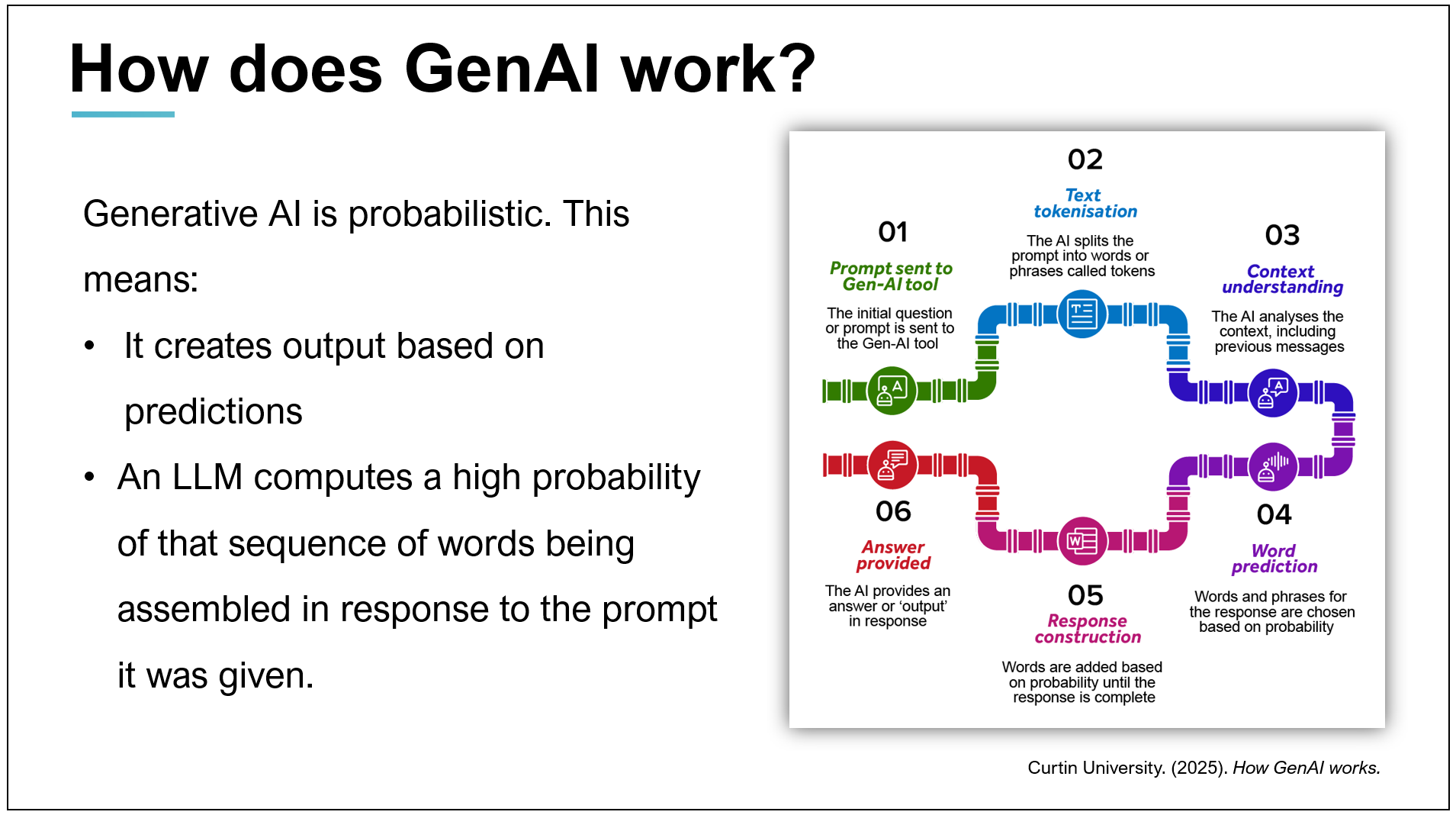
You can find more information on how to create slides through TED and their in-house expert.
If your Unit Coordinator allows the use of GenAI, there a number of programs that can assist you to create your slides. Check the GenAI page and Curtin’s GenAI guidance for more information on how to use GenAI at Curtin appropriately. And as with all GenAI use, if you do use it to assist you make sure you consider any potential copyright issues, accuracy and bias within the output. In particular, GenAI images are problematic. They can be biased, culturally unsafe for certain groups, often contain errors, and can look bland and generic.
Finding and referencing images
As with any source in your assessments, when using images for your presentations and you will need to reference them on your slides. You will also need to acknowledge your sources using in-text citations on your slides and include a slide or section showing your reference list at the end. Copyright and plagiarism can be avoided while creating striking and engaging presentations by educating yourself around open access images and appropriate referencing. Free images that are creative commons licenced are available, you should read the Library’s Copyright guide for further information and suggestions. NapkinAI is a GenAI tool that produces professional-looking graphics (rather than realistic pictures) to represent your data/points, however as mentioned above, be sure you are allowed to use GenAI and if you choose to create GenAI pictures, double check them for accuracy, bias, copyright issues, creativity and relevance to your topic.
Other images might be found in your text books or journal articles, and must all be cited (or ‘in-text referenced’) on the slide on which they appear, and in the reference list. Use all images according to copyright permissions and/or exceptions.
Each of our referencing guides has information about how to include in-text citations and how to reference images and tables. Find your appropriate reference style guide and follow the instructions on referencing tables and figures with a good attention to detail.
Posters
A presentation with a poster means you have been asked to present on a topic and create a poster or infographic to go with your presentation. Creating a great research or conference poster is about clearly communicating your findings, not just grabbing attention. Unlike advertising posters, which aim to persuade or sell, research posters are designed to inform and explain, often to an academic audience.
Thoughtfully designing your poster will help to enhance your presentation. There are five key elements you should include in your research poster to ensure it is both professional and engaging.
Introduction
Keep this short to save space, as you will be talking through this, and your audience may already know a lot about the topic, so a full background summary may not be necessary.
Methods
Focus on what’s novel or critical to your study/assessment topic. Use images to help convey the methods so that you can use less text.
Results
Focus on only the most important findings of your study or the most important thoughts you had/information you researched around the assessment topic. Keep it short. You can discuss this further verbally.
Discussion
This is where you interpret results or findings from your readings, discuss relationships and your own ideas and how they relate to what’s already in the literature. Bullet points are effective for presenting your key take-away points.
Conclusion
Summarise your ideas/study with their implications. A diagram illustrating your conclusions can also be effective here. When presenting, finish by inviting the audience to ask questions. Ensure you are well-read on the topic and have considered possible questions. For more guidance read through the section on managing questions.
You should also include contact details, such as an email address, people can use to get in contact with you. You may also like to include a QR code that links to further reading or more information about your research.
Designing your poster
Your poster should be visually engaging without being confusing to your audience. It is easy to get distracted by different sections on a poster, but there are ways to help your audience navigate the information you are presenting and ensure you get your point across. When creating your poster consider:
Text font and colour
Your font and the colour should match the mood of your poster and topic. They should also be readable; remember your poster will be up on a wall or displayed on a screen. Use a sans serif typeface (Arial, Helvetica, etc.) for improved readability, and avoid extremely bright colours and background images behind the text.
A good title
Your title will be the focal point of your poster and will set the tone you wish to convey. It should quickly orient the audience without being too distracting. It should also be large and eye-catching, but without taking up too much space.
Sub-headings or sections
Different sections within your poster should be clear and easy to read and locate, while also having a logical order or flow to them. Whether you have them in a structured order one after the other, in a more visual mind-map or network formation, or constructed in any other way, ensure it is clear which areas are connected and how.
Include visuals
As with a slide deck, you should endeavour to use visual representations of your information where possible; this will enhance your audience’s understanding and retention of and interest in your talk. For posters, a suggested text-to-visuals ratio guide is about 50% text and 50% visuals.
Don’t overcrowd
While you want to include all your relevant information, make sure you don’t overcrowd your poster. Remember to leave some empty/white space as overcrowding can make the poster difficult to read and understand.
Get feedback
Getting an outsider’s perspective can be valuable with any of your work, but especially with a poster. Before you print your poster, have someone look at your design and give you feedback on the colours, the clarity, your images, and the readability, including the flow of your information. Also, have someone proof-read it all, including checking referencing, prior to printing (so that you don’t waste time and money printing it twice!)
For more information, read through TECHE’s blog on effective poster development.
There are many examples of posters and templates available online, however even bad posters get published. Now that you know what to look out for it’s up to you to determine which are good examples. Some good examples include
- Daisy Shearer’s poster of their research on Considerations for open practices in quantum technologies research presented at Inaugural University of Surrey Annual Open Research Lecture poster session (2022)
- Nicola Rivers’ presentation poster on using escape rooms in teaching and assessment presented at Monash University Learning and Teaching Conference poster session (2025).
For more information about design, have a look at these slides developed by Curtin University Library staff: Graphic design basics
Delivering your presentation
Now that you’ve prepared your speech and (maybe) created some slides or a poster to go with it, it’s time to deliver your presentation. Whether you’re presenting in person or online, through engaging with your audience, addressing questions and managing any fear you may have towards public speaking you can effectively deliver your presentation, and may even enjoy it!
In brief, when delivering your presentation:
- Engage with your audience
- Use audience interaction to your advantage
- Manage any questions that come up
- Avoid common mistakes
- Adjust your delivery for a group presentation or when presenting online.
</div>
Engage your audience
There are a number of ways to engage with your audience, both directly and indirectly.
-
Use emotion Connect emotionally with your audience by expressing genuine feelings and passion about your topic. Use expressive language and vary your tone to convey enthusiasm, concern, or excitement. If it is not comfortable or usual for you to put emotion into your voice, then you can say it instead, for example: “I’m very surprised by..” or, “That statistic saddens me…” etc.
-
Use rhetorical devices Employ rhetorical techniques such as some repetition, rhetorical questions, and parallelism (grammatical similarity) to emphasise key points, improve flow and make your presentation or speech more persuasive. For example, a rhetorical question might be, “Why did we choose to investigate this issue?” (The implication is that you will tell them why, and it’s important!) or “Have you ever thought about why we reference an artist?” (The implication is that they should have thought about it, and you’ll tell them why.) An example of parallelism could be: “The early bird gets the worm, the committed student gets the grades, and the persistent artist achieves the recognition.” Each phrase follows the structure: ‘the adjective noun verb the object’.
-
Be authentic Speak from the heart and be yourself. Authenticity builds trust and makes your presentation more relatable.
-
Be clear Ensure your speech is clear and concise. Avoid jargon and complex language that might confuse your audience (however if you are speaking to an audience educated in your topic, then use whatever language is appropriate for your topic). Simplicity and directness can be effective for a persuasive speech and an engaging presentation.
-
Use pauses Strategic pauses can emphasise important points and give your audience time to absorb your message and understand when you are changing topic or moving to the next section of your presentation. They also help you maintain a calm and composed delivery.
-
Maintain a connection Ask questions, invite participation, or use appropriate humour to keep the audience engaged. Interaction can make your presentation more dynamic and interesting.
Audience interaction
Your assessment criteria and marking rubric might not specifically require audience interaction, but it is generally considered good practice and helps the audience feel more engaged and interested in your presentation. However, you need to ensure you have time for audience interaction – it can take some time to encourage and get responses, and some audience members will like to talk, so you need to be confident at managing the interaction, cutting people off where necessary and encouraging chat when needed. If you will use all your time just answering the assessment question and adhering to the marking rubric, then you should spend very little time on audience interaction.
Some examples of audience interaction have been discussed previously, but you might like to consider:
- Asking questions, testing the audience, providing a quick quiz (you can use Mentimeter or other online tools, or just a show of hands).
- Allowing the audience to ask questions at certain points during your presentation or speech.
- Asking the audience to discuss a content point or idea or question briefly with the person next to them, before getting someone to give you feedback about their discussion. (Be aware that you will need to use your voice or a noise-making tool (like a squeaky toy) to bring the audience’s attention back to you and make them sit quietly again – practice this!) Also, ensure you have enough time for this – this type of activity can be time-consuming.
- Providing handouts – consider a ‘fill in the blank’ document that goes hand-in-hand with a slideshow or the information you are presenting. NOTE: Do not continue talking while people are reading/completing the handout, they will not be listening to you.
- Asking someone to volunteer to help with a demonstration.
Managing questions
Often a presentation assessment will require an audience question time at the end. This can be daunting, but if you are well prepared and planned, then you will manage it well and appear professional and well-researched. The following strategies may be helpful:
Prepare and practice
Prepare beforehand by considering what sort of questions you might be asked (based on your content, what the audience might not understand or might want to know more about, whether teaching staff may want to test your knowledge). Ask friends and family to help with this by coming up with questions for you after you have rehearsed your presentation with them. You can also use Gen AI to generate questions so you can practice - you can write a prompt to have Gen AI take the role of UC, bored student, critical student etc. and then practice answering the questions it brings up.
Listen, then paraphrase
Listen carefully then repeat or paraphrase the question so you are sure you understand it and so everyone in the audience hears it. For example, “So I understand that what you are asking is…, is that correct?” You can also ask the questioner to repeat it louder so that everyone can hear. If the presentation is being recorded or streamed online and the questioner has no microphone, then you should repeat the question for the purpose of the recording and so the online audience can hear it.
Answer in sections
If it is a long question, then break it into sections, and answer section by section. You can take notes during question time – put down keywords on a notepad so you remember what you are answering, especially if you get nervous.
Repeat or rephrase
Don’t be afraid to politely ask the audience member to repeat or rephrase the question if you don’t understand it or didn’t hear it.
Use thinking time
Allow yourself time to think so that your answer is coherent and to the point. You don’t need to rush your answer, and taking your time will also help you to breath, focus and remain calm, thus looking professional and well-prepared. You can let your audience know that you are thinking, by saying something like, “That’s a great question, I just need a moment to consider that.” or “Ooh, good question, I’ll just have to think about that for a moment”.
Say “I don’t know”
If you don’t know the answer, say so. It’s okay to say “I don’t know”. Some ways to move forward include:
- Ask if anyone in the audience can answer it. This is a great way to engage the audience and show that you are confident and happy to learn more.
- Offer to take note of the question, find out the answer and let the questioner know at a later stage.
- Ask the questioner if they have any idea themselves, and whether they can give you some guidance themselves.
- If the question is well-beyond the scope of your assessment, research or knowledge, then it is appropriate to let the questioner know this. You can also thank them for bringing up an interesting point, and let them know you will read about that in the future. This way, you will sound interested and keen to know more about your topic.
- If it’s a question that has come up at the end of your presentation, and you have the ability in the moment, search for the answer in front of the audience. Answer them with “Let’s find out together”, close your slides, open a browser and have a look.
No matter the question, it’s important to acknowledge them all positively. If someone asks a question you have already answered in your presentation, go back to the slide and politely answer the question. Remember that you may not have been as clear as you thought in your presentation, and this gives you an opportunity to clarify content. Never let someone think they have asked a silly question. You can acknowledge that the question is worth asking by using a phrase such as: “That’s an interesting point” or, “That’s a great question, thank you”. Thank the audience at the end for their questions, their attention and interest in your topic.
Managing fear
Being nervous about public speaking is quite common; many people experience some level of anxiety when asked to present to others. This can range from 60% of people admitting that they are frequently nervous during a presentation (Bowden, 2022) to fear of public speaking (or FOPS) being the most common lifetime social fear at 21.2% (Takac, et al. 2019).
You will present more confidently if you are well organised, well-practiced and well prepared for your presentation. Here are some tips to help you get there:
Knowing your subject
This may seem obvious, but the better you know the content of your presentation, the more confident you will be. So prepare well in advance and read widely wherever possible. This will help you answer questions as well.
Knowing your audience
This is vital for ensuring you can pitch your presentation at the appropriate level for them and to make you feel like you are talking to the right people at the right level. Knowing this will make you feel more confident in how you present to them as well.
Practise your timing
Practise you presentation as much as possible. Preferably to the point where you don’t need to read it or use palm cards (but they are also helpful as a backup). Film yourself on your phone to check your facial expressions, tone, body language and speed. Present your talk to a friend or family member and get feedback and tell them to ask you a couple of questions after your presentation so you can practice ‘question time’. Time yourself so it is the correct length. Sometimes it’s better to be slightly too short and allow time for questions rather than to be too long. Be mindful that when you are nervous, you might speak more quickly, so keep reminding yourself to breath and slow down.
Organise the space, including technology
Make palm cards to remind you of what you are going to say, even if you don’t refer to them during your presentation, this is a good process to help you memorise content and feel more confident. Check over your slides. Arrive early to the room where you will be presenting and make sure the equipment is working. Have a back-up plan in the event something fails (for example, have the presentation on a USB in case of internet/wifi issues).
For an online presentation, ensure you are familiar with the platform beforehand, and have uploaded any slides necessary in the correct format. Get online early so you can feel prepared and comfortable. Turn off your phone and any notifications that will distract you and your audience. For example, set Teams to ‘do not disturb’ and close Outlook to avoid emails and messages popping up.
Speak clearly
Speak slowly, clearly and confidently. If you speak confidently, even if you are not confident, you will soon feel more confident, and your audience will think you are a seasoned, confident presenter! Be aware of articulation and pronunciation (especially when presenting online); practise new words, especially technical terms, beforehand. Vary the tone and pitch of your voice if you can, and if this feels natural for you. Use pauses to emphasise key points. And, as previously mentioned, remind yourself to breath and slow down.
Use relaxation exercises
To manage your nerves, do some light exercise before speaking such as using breathing relaxation techniques (breath in for a slow count of 4, hold for 2, breath out for 6 – do this 4 times). Visualise yourself giving a brilliant presentation! Stand or sit tall with your shoulders back and relax your shoulder and neck muscles. Feel yourself grounded to the floor and present in the room.
Group presentations
For some assessments, you may be required to present as part of a group. This not only challenges your presentation skills and content knowledge, but also tests your ability to work as a member of a team. Presenting as a team can feel fun and supportive, but it’s not without its challenges. There are, of course, ways to help overcome these challenges and hopefully make the experience smooth for everyone involved.
Work with strengths
Divide the topic into subtopics and allocate them according to your group members’ strengths, knowledge, confidence, experience and interest. This will share the load evenly and ensure everyone takes part in a way that suits them (and hopefully gets good results!)
Rehearse together
Your presentation may appear a little disjointed and unrehearsed if you don’t make the time to get together and rehearse as a group. While it may be easier to just rehearse your separate parts on your own, getting together will not only enable you to have a smooth run through, but you will also be able to provide constructive feedback to each other and improve everyone’s presentation skills and, hopefully, your confidence.
Ensure consistency
Refer to our previous information about consistency across your slide deck, as this is very important in group presentations too. If the slides your group uses are not consistent in format, colour and font styles, it will be clear to the academic grading your assessment that you have not been working as a team.
For more information on how to work successfully as a group, read through our group work page and have a look at the group presentations information from Monash University.
Online delivery
You could be asked to deliver any of the above presentation styles online. When presenting online you may or may not be able to see your audience, and they may or may not be able to see you. Similarly, some of them will have their microphones on and be happy to speak, others will type into the chat function if they have questions, and others will be silent.
All the ideas and information above apply to preparing and delivering online presentations, however there are some additional things to consider.
Understand your presentation platform
Know how to use and troubleshoot in whatever system you are presenting in. Whether it is MS Teams, Blackboard, Zoom, or Webex, they all have their quirks and knowing how to use the systems in advance will reduce anxiety and project professionalism and confidence. Ensure you upload your presentation slides or poster/visual aids well in advance (and in the correct format) and ensure sound and camera and file/screen sharing is functioning. As with all presentations, try to have a rehearsal using the same or similar system, with friends or family members as your ‘rent-a-crowd’.
Timing in online presentations
In general, online audiences are usually quieter and take longer to engage and interact than face-to-face audiences. Factor in the slightly longer wait times for responses to questions, as usually people have to think about their answer then type it in the chat. Similarly, if you ask ‘Are there any questions?’ at the end of your presentation, leave a long wait time to allow the audience to first think of a question, then type it into the chat. You may need to wait longer than 15 seconds at least. You could encourage the audience to use the ‘hand up’ button and their microphones to make question time go more smoothly, but don’t rush them.
Managing the chat
Be prepared to engage with the online chat from your audience. This can be distracting and time-consuming, so, factor in when you will engage with the chat at different times during your presentation and give clear instructions and be encouraging to the audience if you would like their input. If you are expecting a big crowd and lots of discussion and/or questions, then ask a fellow student to manage the chat and read you the questions intermittently so you can focus on your presentation, but then have periods set aside for answering questions/responding to comments.
Common mistakes
There are some common mistakes that people often make when presenting. If you’re aware of them before you present and prepare effectively, you can avoid them and deliver a more successful and engaging presentation. Below are some of these common mistakes and some tips on how to avoid them.
Running over time
Practice your presentation a lot, and ensure you run on time. Do not try to talk faster to include more information, instead, be more selective and cut out what will be a rush to include. Learn from past presentations, do you tend to go over time because you go “off script”, or do you talk a lot faster when you are nervous? Adjust your timing accordingly.
Apologising for your slides
Don’t apologise for the way your slides look or how you have presented the information on the slide. If you acknowledge that you’ve put too much text into a slide, or that a graph is hard to read, then you are also acknowledging that you didn’t make time to rectify it and that you are not concerned about accessibility.
Instead, take the time to make sure your slides are clear and easy to follow for the audience. Don’t use a slide with too much text, make it two slides or three slides, or just limit the text to three main points and talk about the rest of the information in your speech. And don’t use information or graphs that are too small to read from the back of the room. If necessary, break up that information across a number of slides, or display it differently so your audience CAN read it.
Reading from your slides
Only put the main points on your slides, not your talk word-for-word. Your slides should have your main points on them which you then talk about more broadly in your speech. If you’d like the audience to read a quote, then ask them to read it and give them time to read it, you don’t have to read it out loud for them. Your audience should understand the ‘gist’ of your presentation from your slides, and have access to some important data or context, but they should get something more out of listening to you talk about your topic.
Not facing the audience
When you practice your presentation, get into the habit of using the computer screen in front of you, and trusting that the big screen behind you is showing the same slide. If you talk to the screen behind you, your audience will not hear a lot of what you say and will feel disconnected. If there is no screen in front of you, then write palm cards/print your slides to help you remember what to say, so that you don’t have to keep turning your back to the audience in order to read your slides.
Similarly, if you talk to your poster instead of pointing to it briefly then turning back to the audience, you will not connect with your audience and they might not be able to hear you.
Talking during a task
If you ask the audience to read something like a handout, or ask them to take a moment to think about a question, give them space to do so. As soon as you give an audience or a class a handout, they will read it, and they will not be listening to you speak. If you have to use a handout, plan a time in your presentation to hand it out to the audience, and give them time to read it prior to re-starting and talking them through it. If your handout is just a copy of your slides, consider handing it out at the end of your presentation.
Similarly, if you ask the audience to consider a question, then don’t keep speaking while they think - you need them to EITHER be listening to you, OR thinking about the question you want them to respond to, not both at the same time.
Talking non-stop
You should include time within your presentation to gauge the interest of your audience or ask for feedback. Stop occasionally and ask a question or get the audience to talk to the person sitting next to them or in the online chat about their knowledge of the topic or their ideas about a question you have posed to them. Tell them you’ll ask them a question about the topic soon. Even if you don’t have time for questions, you can break up your speaking with pauses and rhetorical questions so the audience stays awake and actively listening. This applies in video presentations as well; make time to ask them a question with a moment of silence for them to think to themselves. This way, you can gauge if they are listening and absorbing your information.
Focusing on one audience member
Sometimes, when presenters are nervous, they will focus on only one or two audience members who look engaged, for example, the people who are nodding or smiling at them. This can become very uncomfortable for the audience member in focus, so it’s important to include everyone when you’re making eye contact with people in the audience. Ensure that you move your gaze around and make eye contact with (or look just above the head of) various members of the audience and everyone in general, thus being more engaging to more people. If you notice someone shifting uncomfortably or averting their gaze when you look at them, you can always shift your focus to others.
Not practicing enough
Whether it’s to make sure you know your topic, or trying to avoid mistakes, the best way to prepare for delivering your presentation is to practice. Rehearse as much as you can to become comfortable with the content and flow. The better you know your content, the more you’ll be able to add emotion, appropriate body language and appropriate pauses, and you will be less nervous so won’t rush your delivery. Focus on your pacing, intonation, and body language to ensure you come across as confident and natural. When preparing, ask friends and family to be your audience, ask you test questions and to give you feedback.
Further resources
Further resources
Below are some resources that may help you improve your presentation skills.
-
Curtin Toastmasters Club is free to join and can help you to become a better communicator.
-
There are websites that help you improve your online presentations. Have a look at these websites for inspiration.
-
You can book a room on campus in which to practice, either by yourself or with a group.
-
You can book an appointment with a Peer Academic Mentor. You can talk through your presentation with them and get some top tips from experienced, successful students.
-
Join a Guild Club. This will help you make more connections on campus, and will provide opportunities to communicate with others, organise events and generally build confidence and leadership skills. All of these things will help with your presentation skills, and you might make some good friends along the way! You can then help each other by being ‘rent-a-crowd’ to practice and get feedback on future presentations.
About UniSkills
UniSkills was created and is maintained by Curtin University Library. To report issues with UniSkills contact Library Help.
Twemoji icons by Twitter, Inc and other contributors, licensed under a CC-BY 4.0 licence.
Except where otherwise noted, UniSkills content in all it’s forms (website, PDFs etc) are licensed under a Creative Commons Attribution ShareAlike 4.0 International Licence. We ask that you attribute any use of the content as created by Curtin University Library with a link to the Library website.
This license does not extend to other Curtin University and Curtin University Library webpages, or to Curtin branding and trademarks. Curtin University’s copyright information is available on the Curtin website.